
Public beta workspace
AI VIDEO.BETA.
Create beta AI video and image generations from one workspace. No API keys or provider setup required.
Output
Video generation
The models
Video & Image Models in One Beta Workspace
Use the current public beta model set from one workspace and one credit wallet.
Video Generator
23Every video model, in one beta workspace.
 HappyHorse 1.0Vidu Q3 ProVidu Q3 TurboPixverse V6Grok ImagineRunway Gen-4 Turbo
Image Generator
14Every image model, in one beta workspace.
Capabilities
Explore What You Can Create with Vidney
Discover what one beta workspace can do — from text-to-video and image-to-video to AI image generation, across many models, with no API keys.
Go from prompt to result in one click
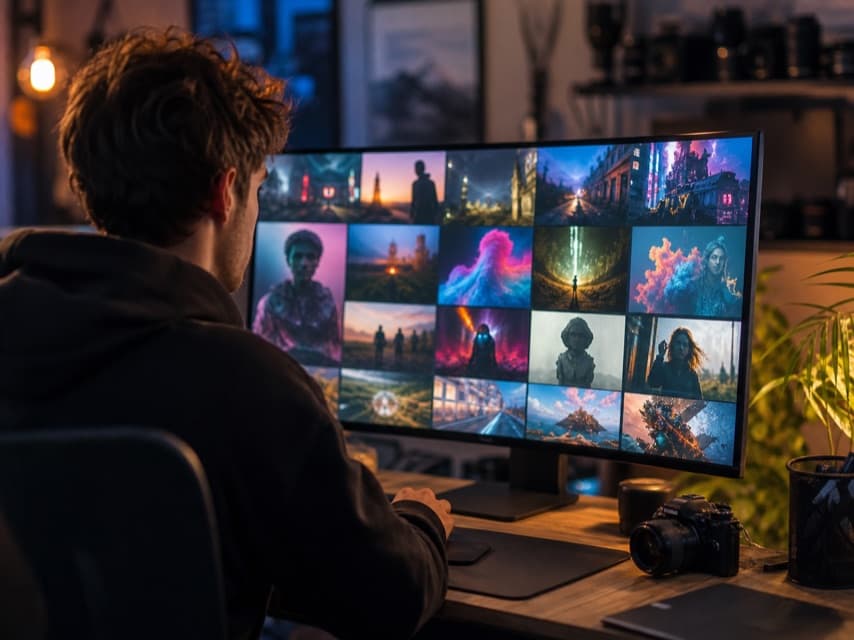
Creating with Vidney is refreshingly simple. Describe what you want to see — or upload a starting image — choose a model, and start the run. Nothing to install, and no provider account to set up.
Every step lives in one workspace: write the prompt, pick a model, watch the run, and open the result when it lands.
Use cases
Built for Professionals
However you create, Vidney turns a prompt into the images and short videos you need.
Ad creative
Generate image and short-video ad concepts straight from a prompt, then run the same idea through several models to see which look fits the campaign. Keep the versions that work and iterate without booking production.
Social posts
Create images and short clips made for feeds, stories and reels from a written brief. Spin up a handful of options for every post, so there's always something on-brand ready to publish.
Campaign looks
Explore a campaign's visual direction before you commit — mood, color, setting and tone, all generated as stills you can react to. Put a few directions side by side and choose the one that lands.
Product shots
Produce product and lifestyle imagery from a prompt instead of arranging a shoot. Drop a product idea into different scenes and styles, and generate the angles a page or an ad needs.
How it works
Create in 4 simple steps
From a blank prompt to a finished file — the whole run happens in one workspace.
FAQ
Frequently asked questions
What is Vidney?
Vidney is a multi-model AI video and image generator that puts many leading models in one workspace with a single credit balance. You can run text-to-video, image-to-video, text-to-image, and image-to-image without juggling separate provider accounts. It is currently a public beta.
Is Vidney free to use?
Yes, you can start free. Vidney is in public beta and every new account gets 10 free beta credits to try the available AI video and image models. After that, you can buy more credits from the pricing page when you need them.
What AI video and image models does Vidney support?
Vidney supports 23 video models including Sora, Veo, Kling, Seedance, Wan, Vidu, PixVerse, Grok, Runway, and HappyHorse, plus 14 image models including Nano Banana, GPT Image, Seedream, Midjourney, Flux Kontext, Qwen, Wan, and Grok. You pick the model you want for each generation, all from one workspace and one credit balance.
What can I make with Vidney — text to video, image to video, and AI images?
Vidney covers four modes: text-to-video, image-to-video, text-to-image, and image-to-image. You can generate a clip from a written prompt, animate a starting image you upload, or create and edit still images with the AI image models. Pick a model, write a prompt or upload an image, set your options, and generate.
How much do Vidney credits cost and how do credits work?
New accounts start with 10 free beta credits, and you can buy more through plans on the pricing page. Each generation has a credit cost that depends on the model and the options you choose, and that cost is shown before you run it. Payments are processed by Creem as the merchant of record.
Can I use AI-generated videos and images from Vidney commercially?
Vidney does not claim additional ownership of the videos and images you generate, so you keep your outputs. Commercial use is still governed by the terms of the underlying source model you chose, so check those for any restrictions on the specific model. When in doubt, review the source model's license before using output in paid or client work.
Do I need API keys or separate accounts for each model?
No. Vidney is an aggregator, so you sign in once and use every supported model without API keys or per-provider accounts. One workspace and one credit balance cover all the AI video and image models.
Can I turn a photo into a video with a starting image?
Yes, Vidney supports image-to-video, so you can upload a starting image and animate it with a prompt. Several video models accept a starting frame; you choose the model, set duration, resolution, and aspect ratio, and the credit cost is shown before you generate.
What video length, resolution, and aspect ratio can I generate?
The available duration, resolution, and aspect-ratio options depend on the model you pick, and you set them before generating. Vidney shows the choices for each model along with the credit cost so you know what a run will produce before it starts.
What happens if a generation fails or I want a refund?
Failed generations automatically restore your credits, so a failed run does not cost you. For purchases, refunds are available within 14 days subject to the refund policy, with payments handled by Creem as the merchant of record. Successful generations are downloadable from your account library.
How do I get started with Vidney?
Create an account to claim your 10 free beta credits, then pick a model, write a prompt or upload a starting image, and set options like duration, resolution, and aspect ratio. The credit cost is shown before you run, and successful generations can be downloaded from your account library. The site is available in 9 languages.
Get started
Create the first asset in your library
New accounts receive 10 credits. Paid plans are visible for launch review and are not billable yet.